Run TrainerRoad with Zwift, MyWhoosh or Rouvy Simultaneously on a Windows PC
If you have used TrainerRoad + Zwift at the same time (made available by Jesper Rosenlund Nielsen at Zwifthacks.com) and wondered if it was possible to do the same with TrainerRoad and other games such as MyWhoosh and Rouvy – good news, it is now possible.
Thank you to Jesper for making available the AutoHotKey v1.0 script along with the TR-Z-Move installer, I was able to take this and modify it to work with MyWhoosh and Rouvy along with some minor updates and improvements.
TR-Move v1.00 release:
- Works with Zwift, MyWhoosh or Rouvy
- Updated to use AutoHotKey v2.0
- Can force the games into Windowed/Borderless Mode if not already enabled (can also use Alt+Enter)
- Saves settings on any change not just on exit
In the same style as Jesper (and I hope in line with the CC license), an installer is available containing:
- Compiled executable to run with AutoHotKey 2.0 (embedded with exe)
- The script source code (src folder) (if you run the script on its own, you will need AutoHotKey v2.00)
- Readme (basic usage notes)
- License (CreativeCommons 4.0)
Download from Google Drive: TR-Move_Setup_v1.00.exe
Suggested Usage
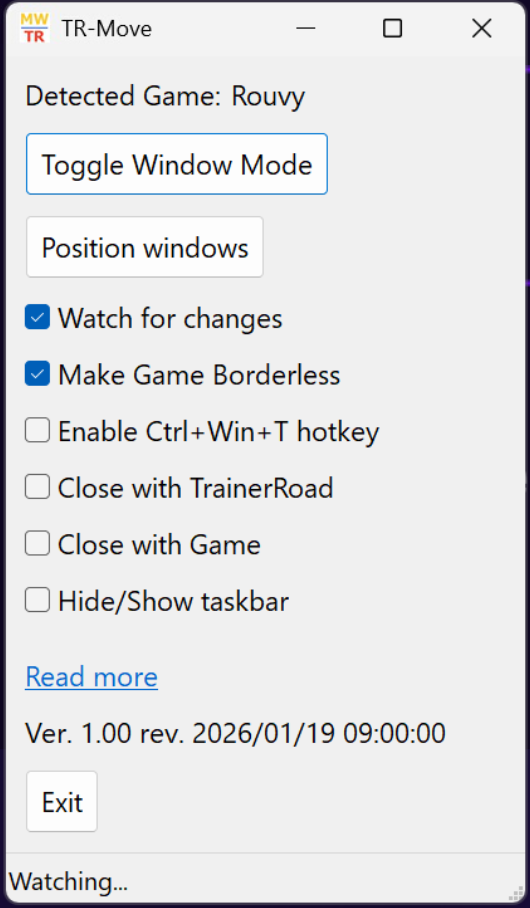
- Run TR-Move
- Run MyWhoosh – (Optional: Press Alt+Enter to force Windowed mode)
- Run TrainerRoad – select workout and start, click bottom right icon to run in ‘minimal mode’
- Run your Game (Zwift, MyWhoosh or Rouvy)
- TR-Move will auto detect which game is running. You are then able to position the Windows, toggle game Windowed Mode, make Game borderless
Prerequisites
Screenshots
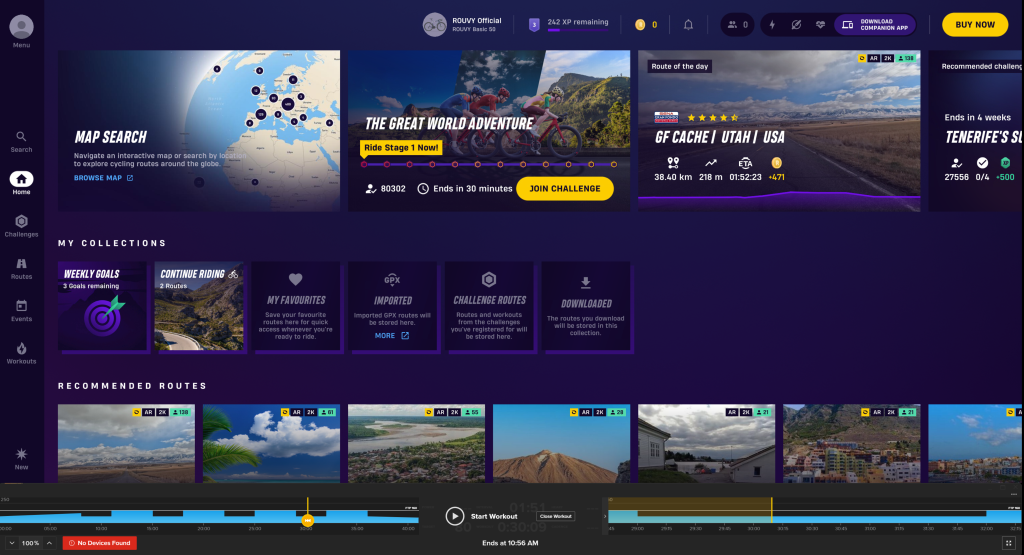
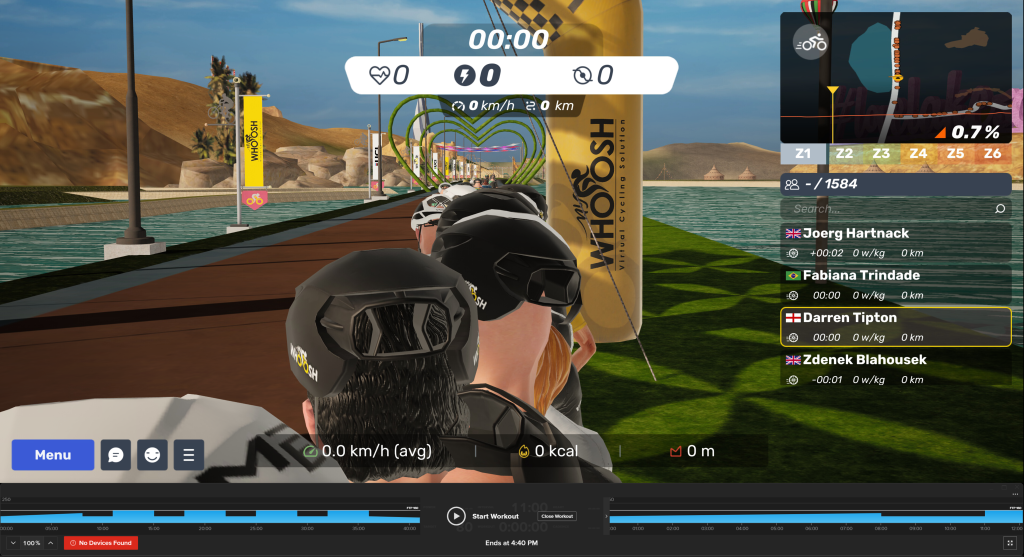
TrainerRoad + MyWhoosh
TrainerRoad + Rouvy